Tally UI
design system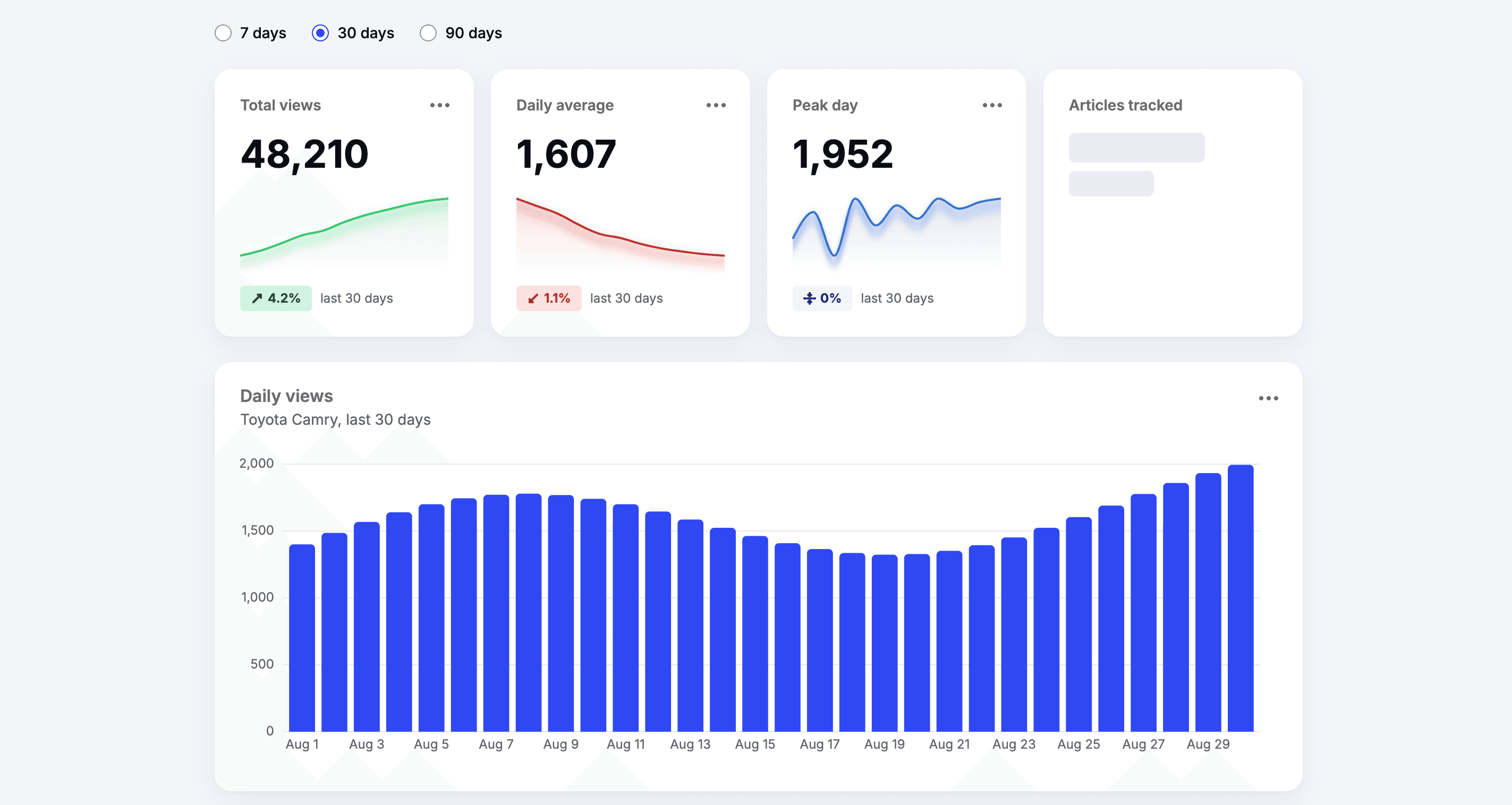
What Tally UI was designed to do
Tally UI is a React, TypeScript, and Tailwind v4 component library for dashboards with an MPC server. It has 20 components: charts (LineChart, BarChart, DonutChart, Sparkline), data display (StatCard, Table, Legend), filters (Combobox, RadioGroup, Tabs), and feedback (Alert, EmptyState, Skeleton). It deliberately stays narrow. It doesn't try to be a general UI kit, and it's meant to sit next to one.
From the start I wanted it to be "AI-native": an API that a coding agent can pick up and use correctly without a human steering it.
In practice that meant three things:
- Predictable APIs. Every component extends its native element's props, merges
classNamethe same way, and follows the same conventions (for example,hideLabeleverywhere a label exists). - Tokens, not colors. Every color, radius, and shadow is a
tally-prefixed token (bg-tally-primary,var(--tally-primary)). - Docs written for agents. Each component's JSDoc says when to use it and when not to (
@useWhen,@avoidWhen) and which components it works with (@related). For example, Sparkline's docs say to use LineChart when you compare several series, and Combobox's say to use RadioGroup when there are only a few options.
The JSDoc is the source for two more delivery paths. A script built on react-docgen-typescript generates manifest.json, a structured list of every component, prop, and example that ships with the package. A small MCP server (npx tally-ui-mcp) serves that manifest to agents through list_components, get_component, and get_tokens.
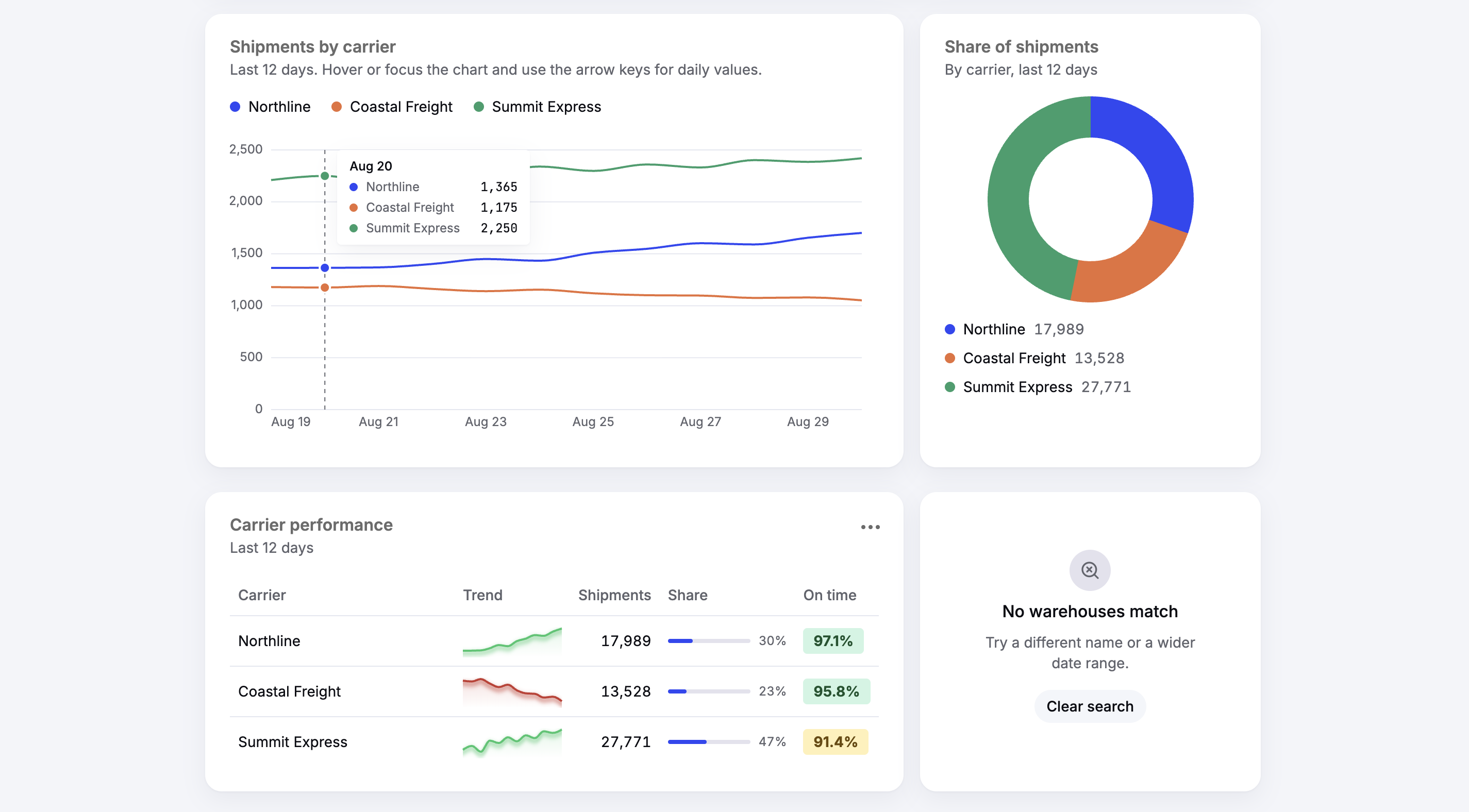 The sample logistics dashboard that ships with Tally's docs.
How I tested it
The test was simple: give a fresh agent the package and a brief, and see what it builds. The agent had no memory, no chat history, no project instructions, and no access to Tally's source. It had only the installed package and whatever docs shipped with it.
The app was a Wikipedia attention tracker. You search for articles, compare daily views for up to three of them across September 2026, see each one's total, change from August, and busiest day, and browse the ten most-viewed articles on September 30. It also has to handle loading, empty, and failed requests, and work with a keyboard and a screen reader. It uses the real Wikimedia Pageviews and search APIs. The brief describes what the app does and never names a Tally component.
The primary test was to see whether the MCP server had a signifcant effect on success. I ran the prompt with and without the MCP server enabled and reviewed Claude's session logs to see how it reasoned out how to use the design library.
| Run | Condition | How it learned the library |
|---|---|---|
| 1 | With MCP | Never called the tools; read the README and .d.ts files |
| 2 | Without MCP | Found manifest.json in the package and parsed it |
| 3 | With MCP | Called get_component 4 times and get_tokens |
| 4 | Without MCP | Read the README and .d.ts files |
Every run started from a fresh Vite app with the same package build, and I didn't answer questions or give hints. For each run I checked:
- Build health: type errors, build errors, and lint errors at the end.
- Invented API: props or components that don't exist.
- Component choice: whether it used the component the docs point to for each need, or built its own.
- Token use: raw colors like
bg-blue-500or hex values versus Tally tokens. - Accessibility: an axe check on the finished page.
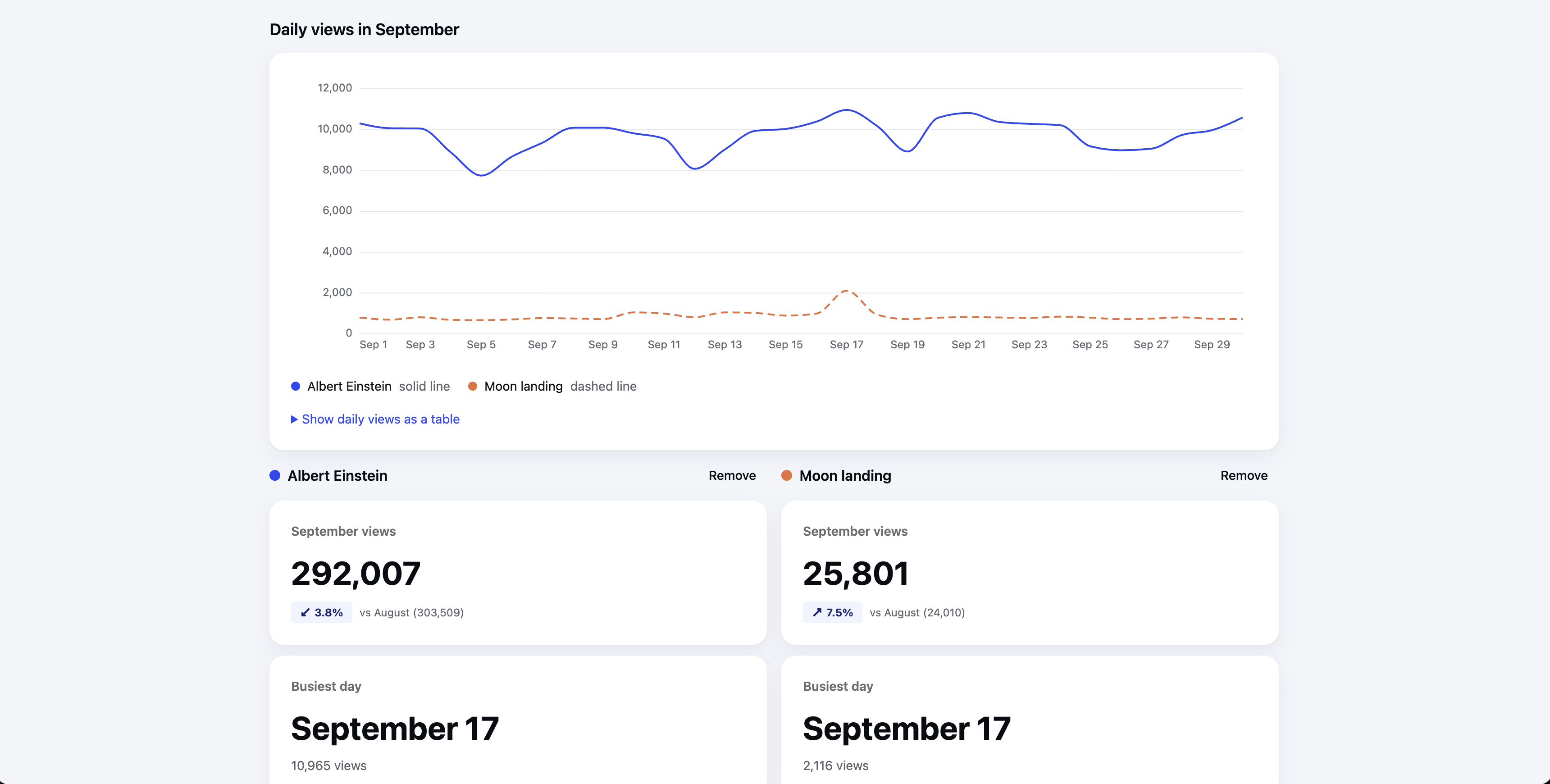 agent-generated wikipedia attention tracking dashboard
What the testing taught me
All four runs worked, from the brief alone. Each one type-checked, built, and linted with no errors, and none needed a "continue" nudge. None of the runs used a raw color, their own CSS used var(--tally-*) tokens. Every run passed axe with 0 violations.
The agents also picked the components the docs point to. All four used Combobox for search, LineChart with Legend for the comparison, Table for the top ten, and Alert, EmptyState, and Skeleton for failures, empty data, and loading. Three of four runs used StatCard for the headline numbers. Run 2 used a summary table instead, which is a reasonable call for up to three articles.
The MCP server had little effect
This was the surprise. Run 1 had the MCP tools available and never called them. Run 2 had no MCP server, so it went looking, found manifest.json inside the package, and parsed it with a script. Both ended up with the same guidance.
The reason is that the JSDoc already ships in the package's .d.ts files, which is the first place an agent looks when it checks a component's props. So the @useWhen and @avoidWhen notes reached every agent, MCP or not. What made the difference was what the docs said, not how they were delivered.
Docs only help if they're read
An earlier practice run made this clear. The agent never looked up Sparkline, so its sparklines came out black and flat. Better docs wouldn't have fixed that. Better defaults did: Sparkline now uses a chart color and a usable height without any props.
The runs found real bugs
Looking at where agent had to engineer work-arounds acted like a bug report. The test runs found three issues:
- LineChart's fixed y-axis margin cuts off wide labels. "12,000" showed as "2,000". Three of four runs hit it. One switched to compact numbers like "1.3M", and another added padding and visible overflow.
- Heading doesn't forward a
ref, so run 1 focused it byidinstead. - EmptyState.Icon expects an icon, but Tally doesn't export any. Run 1 reached for an icon library, then dropped it.
What's next
Besides fixing the practical bugs found in the test runs, I'll add a short "For agents" section to the README that explains the JSDoc tags, the manifest, and the MCP server.
For the next batch of tests, I'll add a baseline with no agent docs at all, and maybe the same brief against a well-known library like shadcn/ui. Four runs is a small sample, and run-to-run differences (StatCard or a table, testing in a browser or not) looked like noise rather than a pattern. What the four runs do show is that the guidance in the docs reached every agent and shaped what it built.
The lesson I'd pass on: if you want agents to use your library well, write down when to use each piece and when not to, and put that where they already look. For a TypeScript library, that's the types.